Business Cards / 14 min
How To Print Business Cards In Dubai: Size, Paper, Finish And Proof Checks
A complete Dubai business-card printing guide covering size, paper, finish, bleed, QR codes, proof checks, quantities, turnaround and quote readiness.
Published / Updated
By BizBee. Factual review: BizBee operations.
Short answer
To print business cards in Dubai, prepare a final PDF at the correct card size, keep text inside the safe area, add bleed for edge-to-edge backgrounds, choose paper and finish based on the card's job, then approve every phone number, QR code, name and title before production. The fastest quote includes quantity, deadline, finish preference and delivery area in one message.
Start with the purpose of the card
A business card should not be treated as a tiny flyer. It has one job: help the person who received it remember you and take the next step. Before choosing paper or design, decide whether the card is for networking, sales meetings, appointments, reception desks, events, delivery teams or premium introductions.
That purpose changes almost every print decision. A founder card for investor meetings can justify heavier stock and a quieter layout. A salon appointment card may need writable space. A real estate card may need a QR code to current listings or WhatsApp. A restaurant card may work better as a menu or location shortcut than as a traditional name-title-phone layout.
For Dubai buyers, the practical details also matter: bilingual Arabic/English information, WhatsApp-first contact behaviour, building or branch location, delivery timing and whether the design will be handed out in high heat, humidity or outdoor environments. Start with the use case and the quote becomes much easier to get right.
Compare card types before choosing paper or finish.
Choose a size, orientation and safe layout
The safest business-card format is still the standard rectangle because it fits wallets, card holders and front-desk organizers. Custom shapes, square cards and vertical layouts can stand out, but they need more design discipline and sometimes cost more or behave differently in storage.
Whatever size you choose, keep critical information away from the trim edge. Names, phone numbers, QR codes, logos and Arabic text should sit inside a safe area so a tiny cutting shift does not damage the card. If the background colour or image reaches the edge, extend it beyond the trim as bleed.
A good rule for approval is simple: print or preview the card at actual size before you approve it. If the title, email address or QR prompt feels small on screen at actual size, it will feel small in someone's hand too.
Word files need extra size and safe-area checks before printing.
Prepare the artwork as a print-ready PDF
For quote and production, a final PDF is usually the cleanest handoff. Editable design files can help if changes are needed, but the PDF is the approval source because it locks the final layout, fonts and placed artwork into one file.
Check logo sharpness, image resolution, crop marks if used, bleed, safe margins and whether each side is correctly ordered. If the card is double-sided, label the front and back clearly in the file or message. Do not send five versions named final, final-new and final-v3 without explaining which one should be printed.
QR codes deserve their own proof step. Scan them from the exported proof, not only from the design tool. A code that works in the editor can become too small, too low contrast or too close to the trim when placed on the final card.
Use the existing BizBee proof checklist for final approval.
Pick paper and finish based on handling, not ego
Paper and finish shape the first physical impression, but the most expensive option is not automatically the best. Standard matte cards are practical for daily networking. Thicker cards feel more substantial for founders, consultants, brokers and premium service brands. Gloss can make colour and photography pop, while matte often gives better readability and less glare.
Soft-touch, textured, recycled, foil or raised finishes should be used when they support the brand story and the card's job. A luxury real estate consultant may benefit from tactile finish. A delivery team might need durability and clear contact details more than luxury. A clinic may need calm readability more than shine.
If customers need to write appointment times, notes or referral codes on the card, avoid finishes that resist pen ink. If the card is handled outdoors or near moisture, ask about durable options before committing to a standard paper card.
Compare matte, gloss, stock weight and finish before requesting a quote.
Build the quote request like a production brief
A vague enquiry like 'how much for business cards?' creates back-and-forth. A strong enquiry gives quantity, size, sides, paper or finish preference, deadline, delivery area, artwork status and whether design help is needed. If there are multiple employees, include the number of versions and names that need approval.
Also mention whether the card is urgent for an event, opening, trade show, staff onboarding or client meeting. Production timing starts from approved artwork and confirmed details, not from the first casual question.
For BizBee, business cards should remain quote-led until fulfilment, paper options and turnaround are operationally locked. That keeps the customer promise honest and prevents automated pricing from selling something operations cannot yet produce reliably.
Understand what happens after the enquiry is sent.
Proof the card like a customer will use it
Proofing is not just spellcheck. Read every digit in the phone number, test every QR code, check WhatsApp formatting, inspect the email address, confirm the website, review Arabic and English alignment and make sure the title matches the person's actual role.
For team cards, approve each person's card separately. A beautiful template can still fail if one employee's mobile number is wrong or a job title wraps badly. Keep a named approver for the final proof so operations knows whose confirmation is authoritative.
The final question is practical: if someone meets you for 30 seconds and looks at this card later, will they know who you are, why they should remember you and what to do next? If not, improve the card before printing.
Use the information checklist to avoid wrong details.
Visual proof
Business-card decision visual
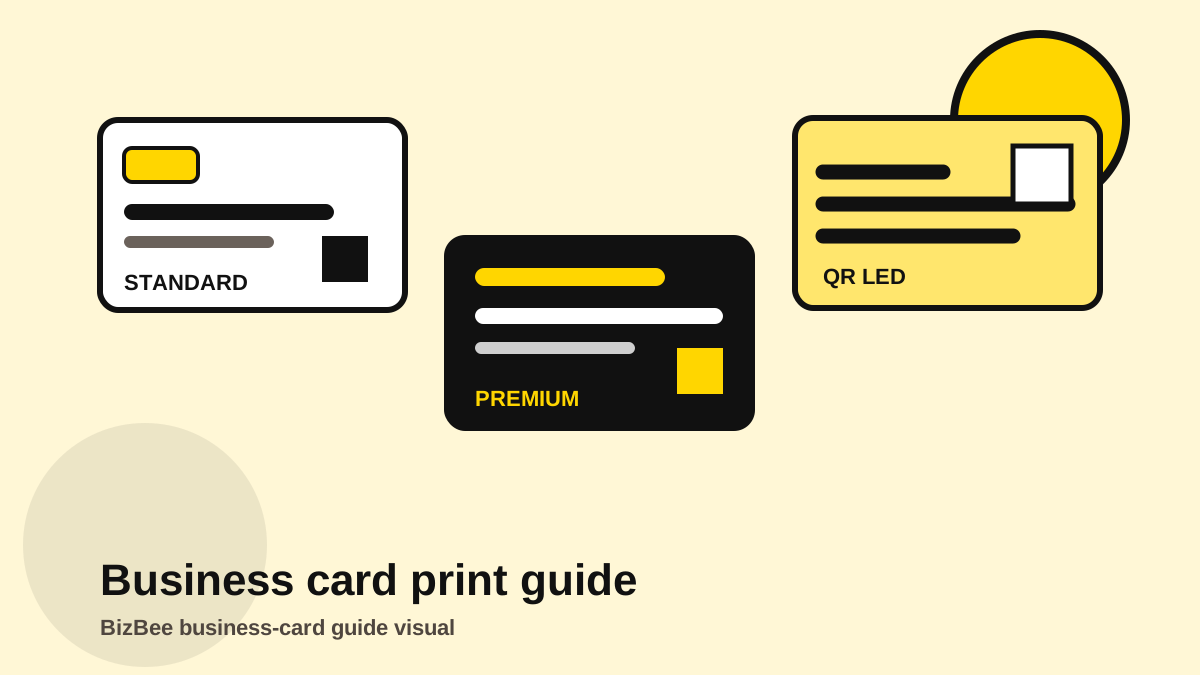
Use the diagram to compare simple, premium and QR-led cards before requesting a quote.
Quote-ready business-card brief
- - Quantity, deadline and delivery area.
- - Card size, orientation, one side or two sides.
- - Paper, finish and durability preference.
- - Final print-ready PDF plus editable source if changes may be needed.
- - QR destination, WhatsApp number and named proof approver.
- - List of team names and quantities per person if it is a staff batch.
Downloadable aids
Frequently asked questions
What file should I send for business-card printing?
Send a final PDF whenever possible, plus the editable file only if design changes may be needed.
Can BizBee print urgent business cards in Dubai?
Urgency depends on artwork readiness, quantity, paper, finish and proof approval. Ask with the deadline and delivery area included.
Should I add a QR code to my business card?
Yes if it leads to a useful action such as WhatsApp, booking, maps, menu, portfolio or a lead form.
What should I check before approving business cards?
Check names, roles, phone numbers, email, website, QR code, logo sharpness, Arabic/English layout, bleed and safe margins.
Turn the guide into a quote
Send the artwork, quantity, finish preference, deadline and delivery area together so BizBee can confirm the production route without slow back-and-forth.
Send a business-card enquiryNext step
Send your final artwork and requirements. BizBee will confirm what is practical before production is promised.
Request a business-card quote